Paste a business's Google Maps link. Get what customers love, what they complain about, and what to say when you walk in.
⭐ Also from us: SmartTap gets businesses more Google reviewsSee SmartTap →📍 Where do I find the Google Maps link?
- Open the business in Google Maps (search its name).
- Tap or click Share.
- Tap Copy Link (it starts with maps.app.goo.gl).
- Come back here and tap 📋 Paste from clipboard.
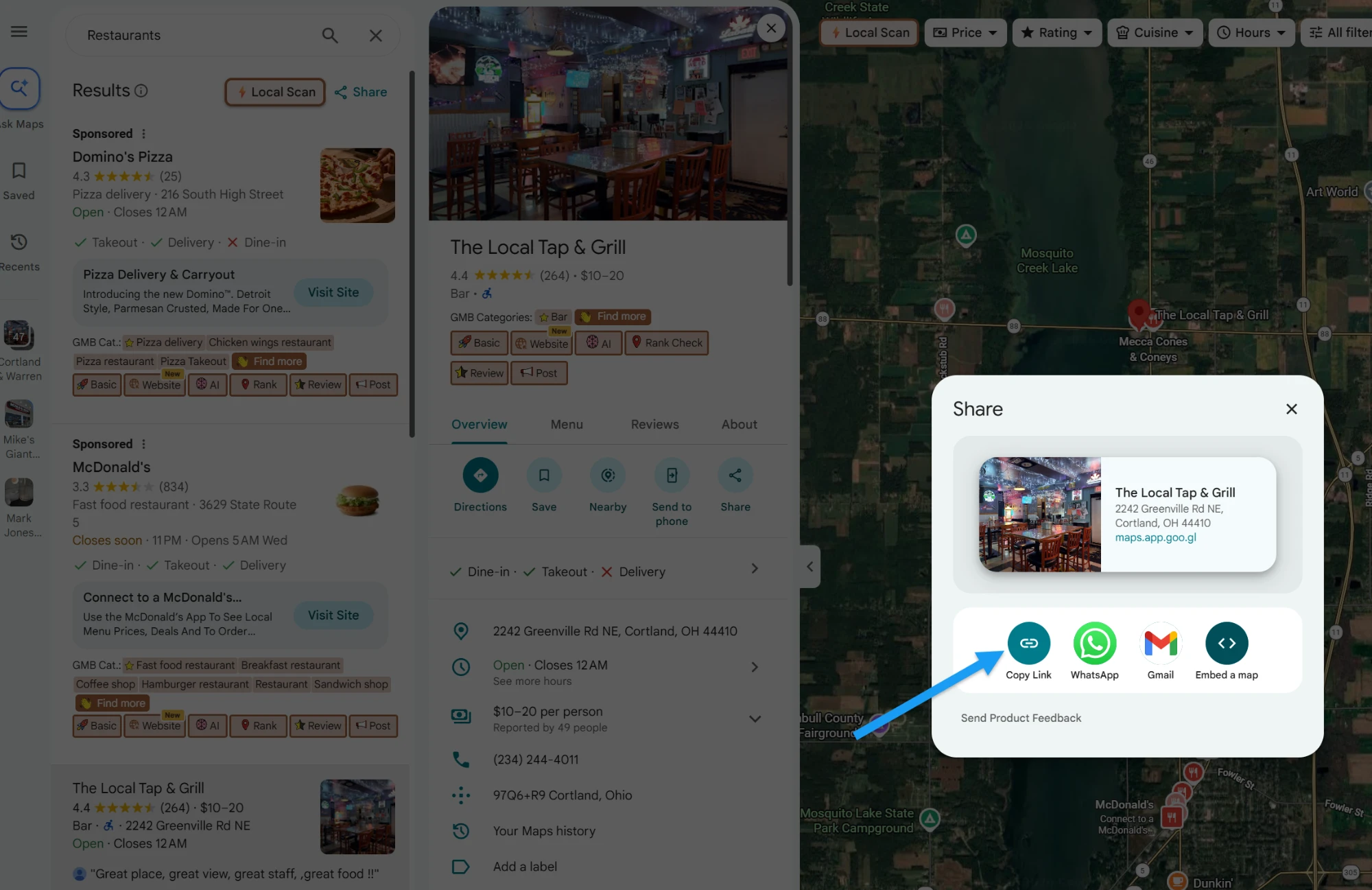
On a phone it's the same: open the business in the Google Maps app, tap Share, then Copy link.
What do I get for each business?
We read the business's newest 50 Google reviews plus up to 20 low-star ones, then give you a one-page sales brief:
- 🎯 Who to ask for: the owner and manager (with where we found them), staff customers name in reviews and how often, the business phone and email, and a first line to say to whoever greets you
- 🔍 The review gap: a real weakness the profile shows (reviews slowing down, recent ratings slipping, missing owner replies, ignored or copy-paste replies to bad reviews), or a plain "no clear gap" so you never invent one
- 👍 What customers love and 👎 what they complain about, with real quotes
- 🙋 Staff customers name in reviews (a perfect conversation opener)
- Quick numbers: star rating, new reviews in the last 30 and 90 days, how often the owner replies
- ✅ Talking points tied to what you sell
- 💬 Opening lines and 📝 3 scripts: walk-in, phone call, text or email follow-up
- 🚪 Getting past the gatekeeper: what to say to the host, cashier or whoever answers the phone
- ❓ Questions to ask, 🛡️ answers to objections, and 🚫 what not to say
- The real happy and low-star reviews, so you can check before quoting anything
Takes about a minute. Every brief is saved, so you can reopen it later from any device for free.
⭐ Upgrade to SmartTap
Made by the same team. SmartTap turns happy customers into more customers:
- More 5-star Google reviews. Every customer taps a card in the check presenter or scans a QR on your tech's phone.
- Credit the employee who earned it. See which server, tech or crew member brings in reviews, and run spiffs and contests.
- New customers from other local businesses. Partner offers put your deal in front of nearby businesses' customers, and theirs in front of yours.
- A VIP text list that brings them back. Verified opt-ins, picture promotions, referrals and video testimonials.
- Show up higher on Google Maps and in ChatGPT. AI replies to reviews with local keywords, social posts from your best reviews, and monthly rank tracking.
Want it for your own business, or to sell to your clients?
See SmartTap plans →Recent businesses
Nothing yet.